
Connecting Industrial Businesses to New Growth
Client:
T-ECOSYS by Petroleum Authority of Thailand (PTT)

Project background
T-ECOSYS is a unique industrial technology company borne out of a strategic partnership between the public and private sectors in Thailand. With a focus on helping businesses in Thailand unlock new growth potential through digital transformation, I was part of a design team that assisted T-ECOSYS in creating Thailand’s first Industrial Digital Platform (iDP).
MY SCOPE OF WORK
User flow mapping
Information architecture (IA)
UX writing
Wireframes
DESIGN TEAM
1 UX Director
1 UX Lead
3 UX Designers (Me)
1 UI Designer
Product inspiration
Mr K is a newly promoted Operations Manager at a drinks manufacturing company. It's a public holiday, but instead of spending it with his family, he's been called back to the factory. An ageing but critical piece of bottling equipment has broken down — for the second time this month. He's needed on-site to coordinate emergency repairs before it causes major disruptions.
He knows the equipment needs upgrading. But convincing the right stakeholders to invest in it is an uphill task.
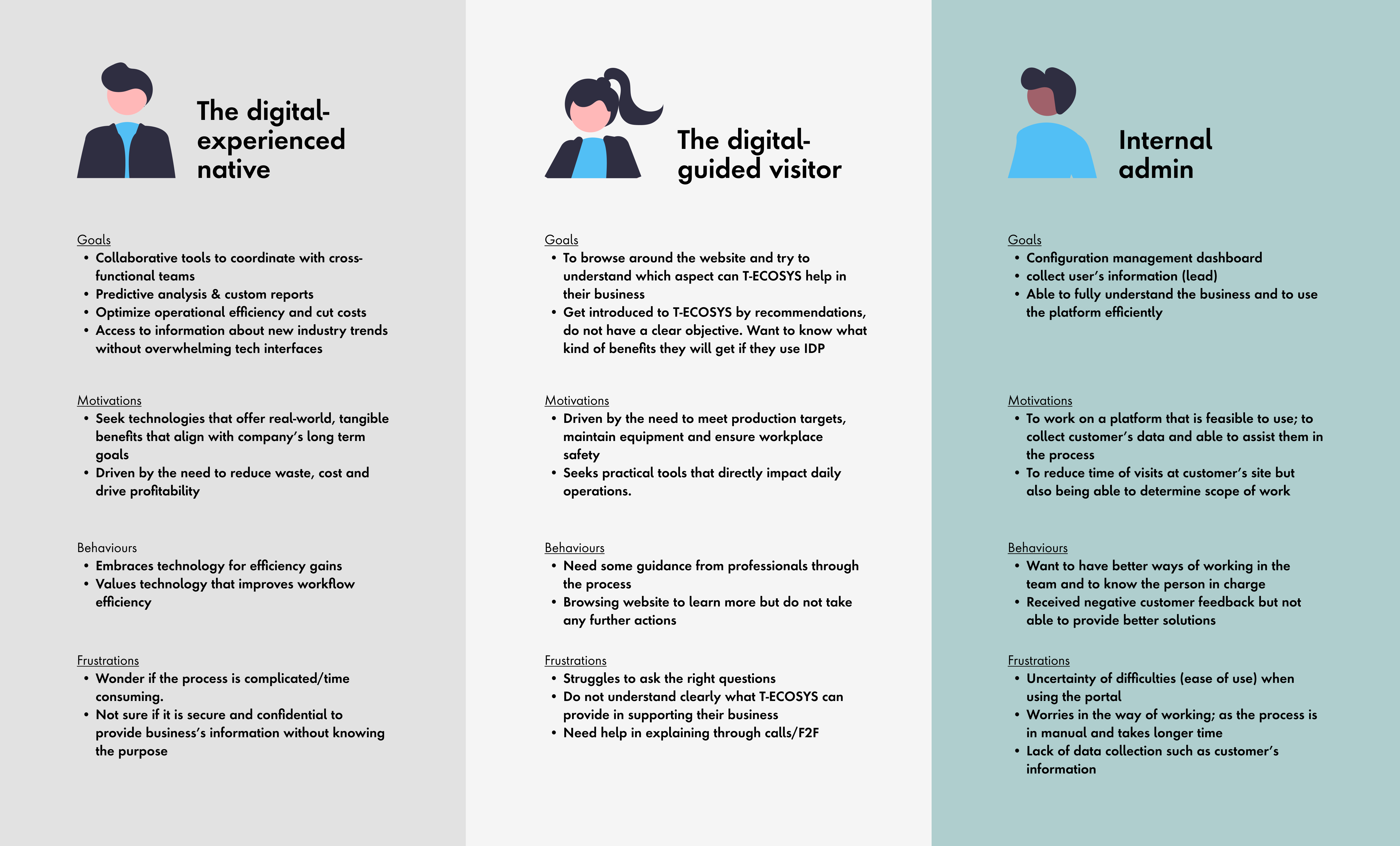
User persona extracted from the discovery phase.
Problem
With limited access to resources, Mr K feels powerless to implement meaningful change, as his company's leadership is resistant towards implementing new technology which they have little knowledge or experience with. They are also sceptical that long-serving employees may not have the ability to adapt to technological advancements, and may result in an overall decline in productivity and wasted investment.
Solution
T-ECOSYS' iDP platform was able to connect him with industry experts and sources of funding to increase organisational knowledge and market the company's offerings to new customers.
Product roadmap
To achieve T-ECOSYS' vision, our team outlined the project roadmap below. I was primarily involved in building the iDP's foundational features and the MVP for Feature 1 — laying the groundwork for helping businesses in the same predicament as Mr K.
1. Connect industry experts with local enterprises
Allow businesses to seek support in growth.
2. Online courses and knowledge repository
Allow upskilling of talent, uplifting Thailand's industrial standards overall.
3. Marketplace for industrial services and products
Boost domestic consumerism.
4. Investment support and loans
Support businesses in expansion and create more opportunities.
Project outcome
$2 million
Revenue growth
1,000
Participating companies
10%
Decrease in implementation errors
1 year
Design to implementation phase
design & deliver
THE WORK
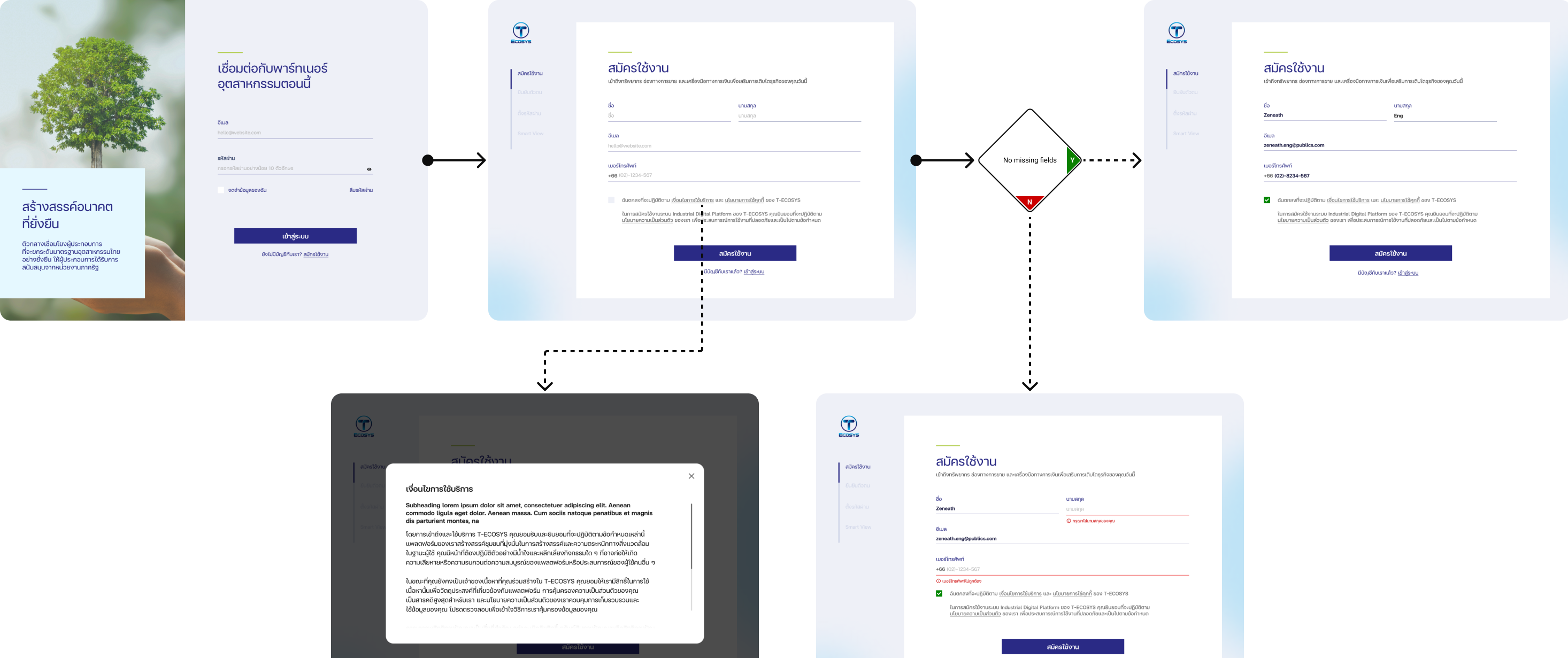
1. Create a singular source of truth
During the first sprint, I was assigned two user stories — "Login" and "User Registration". As the stories were broadly articulated, I knew there were gaps that could lead to miscommunication and risk down the line. So before designing, I first established a simplified user flow diagram as a singular source of truth.
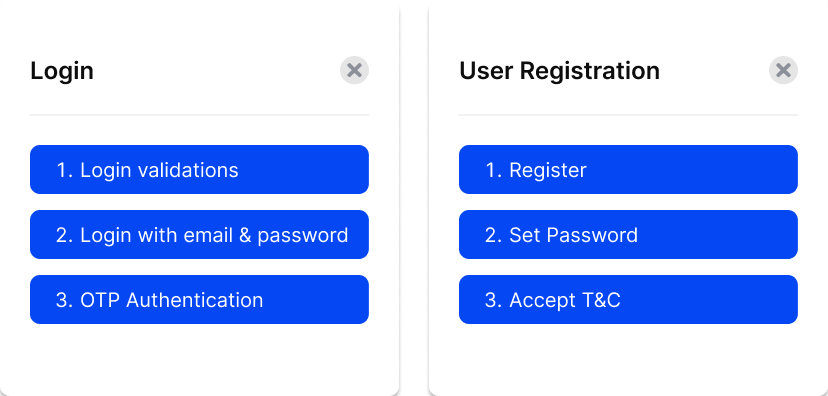
Example of user stories assigned in Sprint 1.
Instead of using traditional flowcharts, I opted for more streamlined visual language, using blank canvases to represent pages, states, and actions, while retaining decision points and directional arrows.
I applied this method to the "Login" story first, using the below user flow diagram to facilitate alignment discussions with various business stakeholders, including analysts and developers. The stakeholders embraced this approach and this tool became the single source of truth throughout the wireframing and implementation phases, ensuring that our teams were always on the same page.
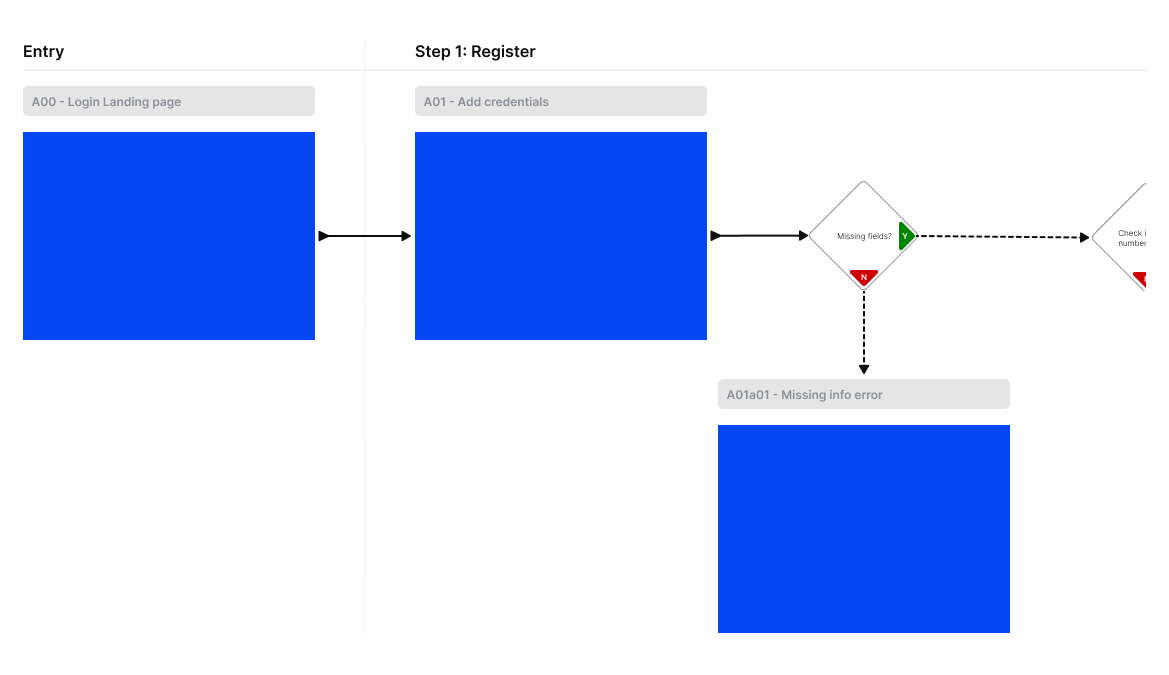
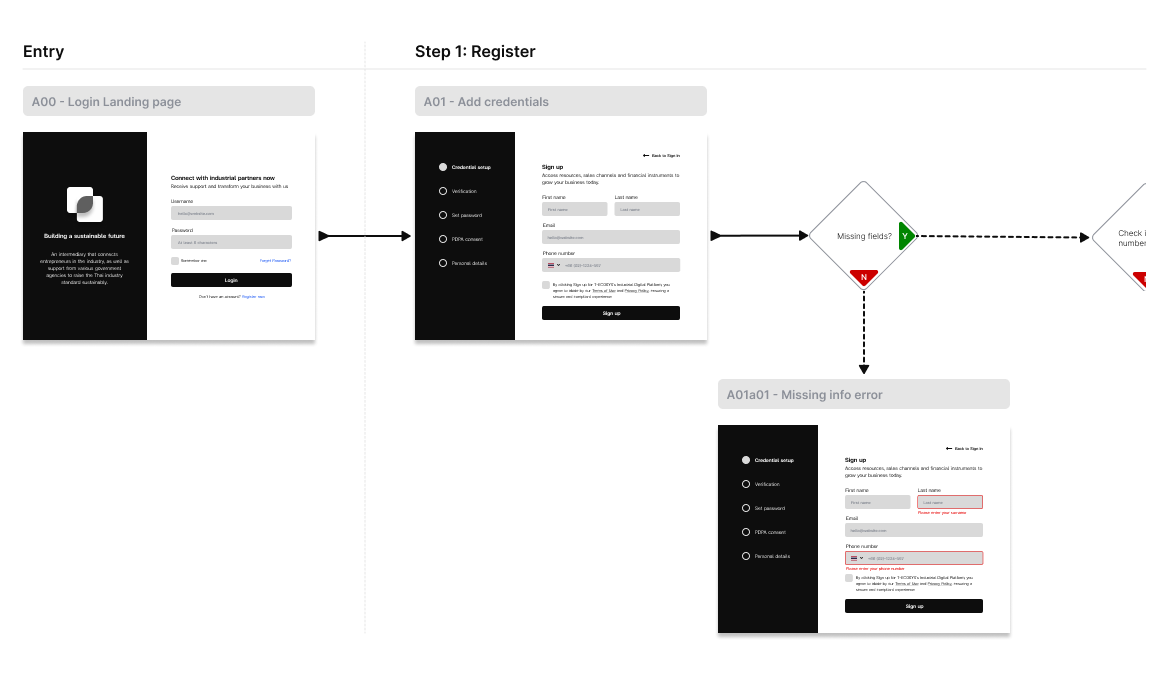
Simplified user flow diagram.
2. Deploy generative artificial intelligence tools
While the user flow diagrams were a good starting point, various functional elements (e.g. text field components, its variations, and configuration options) had to be supplemented. I decided to tackle this issue by leveraging my company's secure and sandboxed generative artificial intelligence (GenAI) tools.
Based on the user stories, I generated business and user goals and was able to bring fresh perspectives to our weekly review meetings, sparking valuable team discussions. Throughout this process, I remained mindful of the potential risks involved with using GenAI tools, such as maintaining confidentiality and hallucinations.
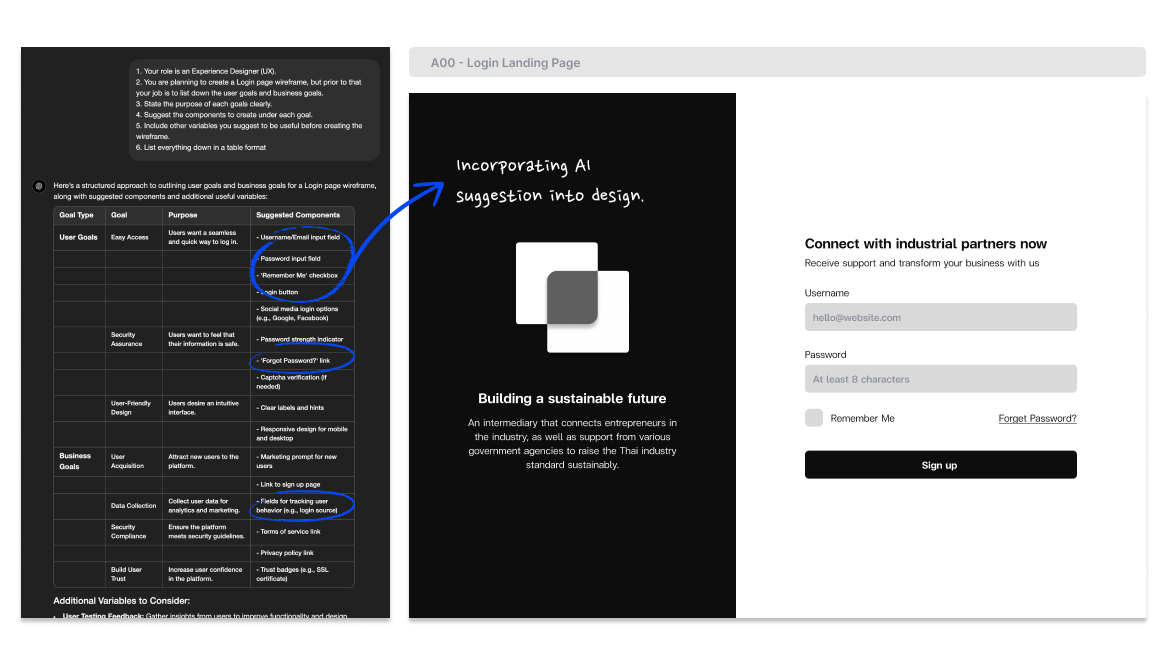
Screenshot of results from GenAI tools applied to wireframe.
3. Clarify potential blindspots
To enhance product usability, I embedded functional and technical questions, modified from GenAI output, as annotations within my wireframes. These served as contextual prompts to help the teams assess whether the product design met the functional requirements of specific use cases.
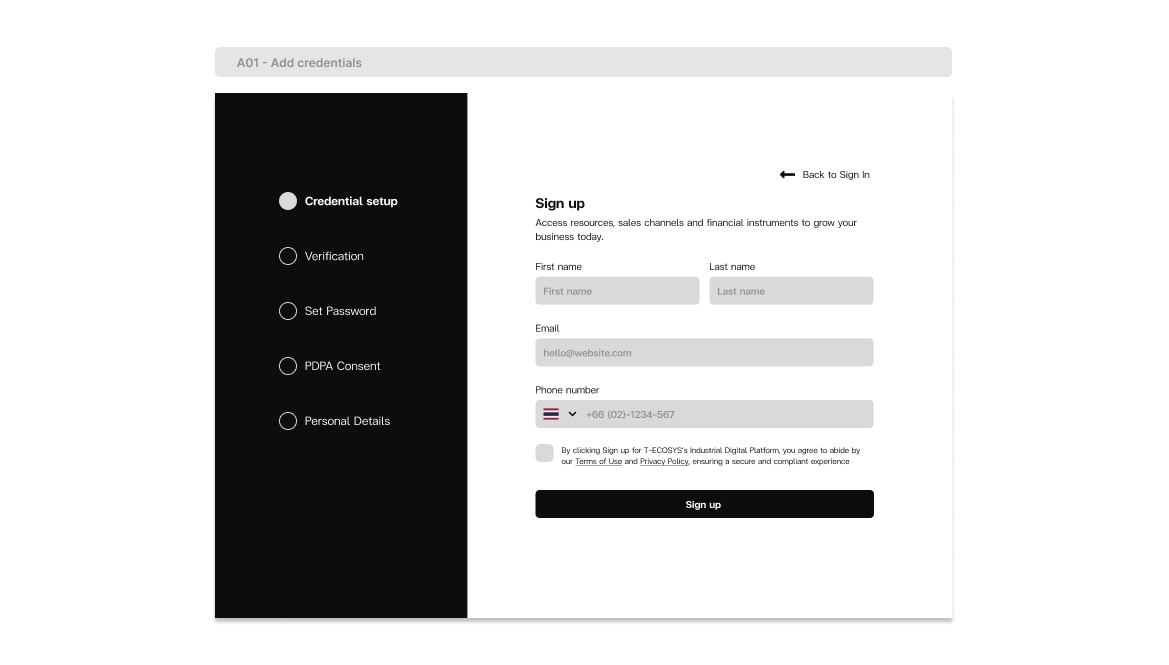
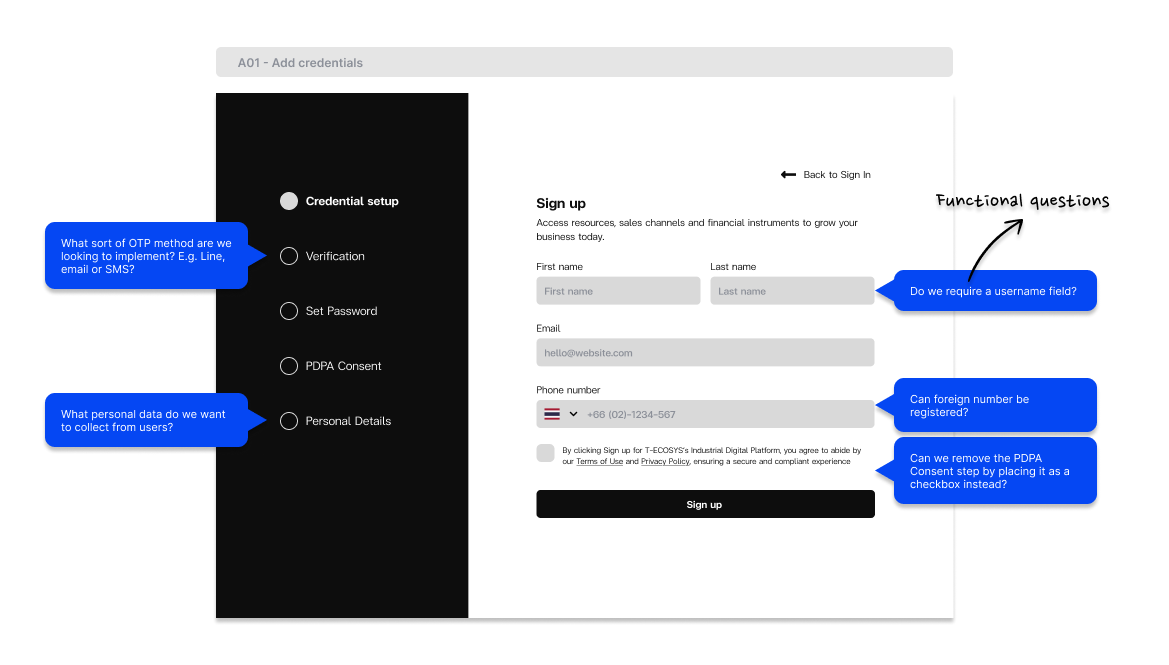
Example of questions embedded in wireframe.
4. Ensure logical content flow
Given the large volume of content within each user story, I had to prioritise logical organisation of information. Using the "Partner Inquiry Form" below as an example, I was initially provided with an extensive list of information the client intended to collect. I sorted it into rational categories to ensure clear sequencing for users, while highlighting valuable insights for the client's consideration.
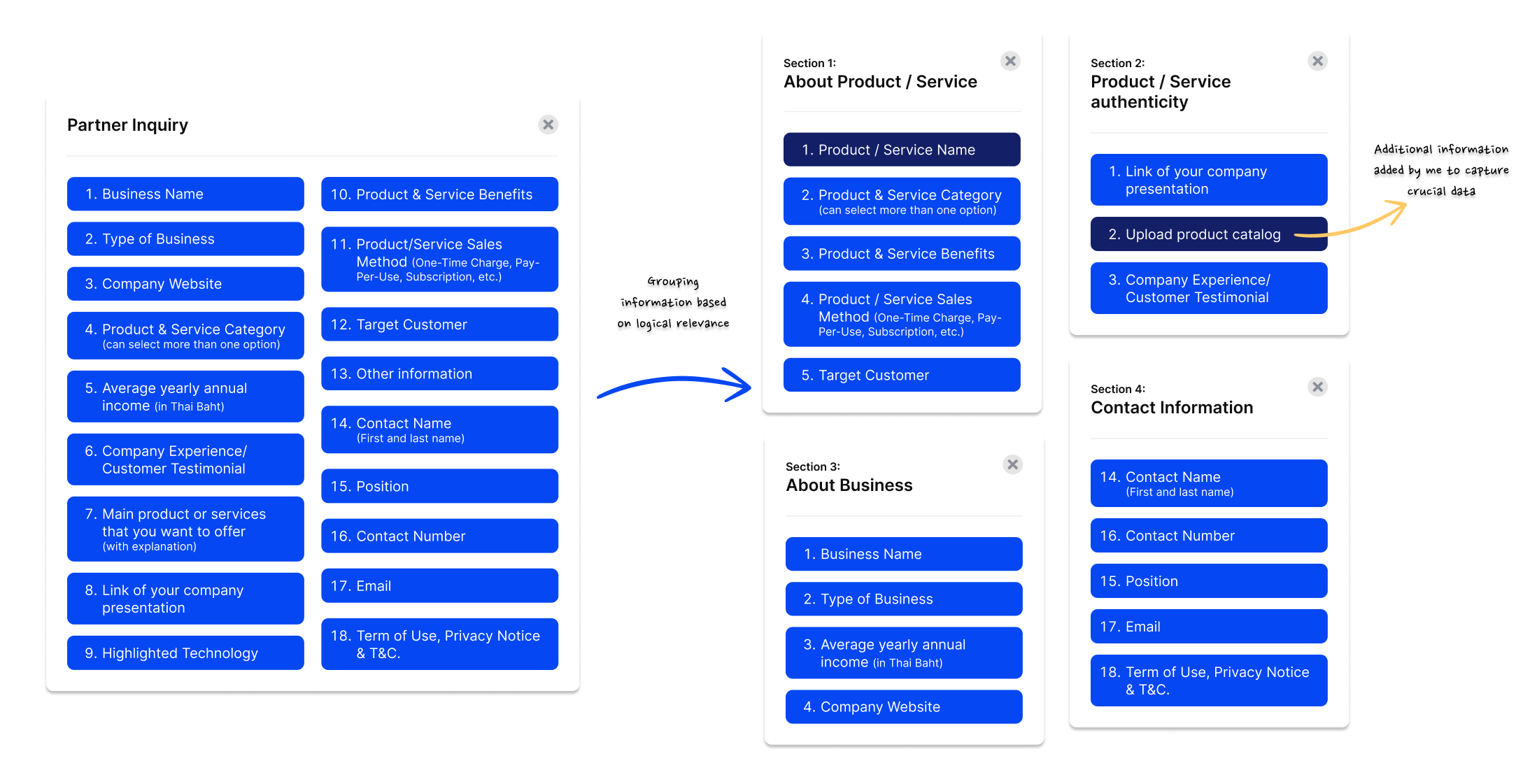
Example of how information was categorised.
I also wanted to ensure that the large volume of information would not overwhelm the user. While I acknowledge the established principle in UX design to limit the number of clicks or steps, in this scenario I chose to break the content down into three separate steps to better guide the user along this journey. This approach eventually led to a higher completion rate.
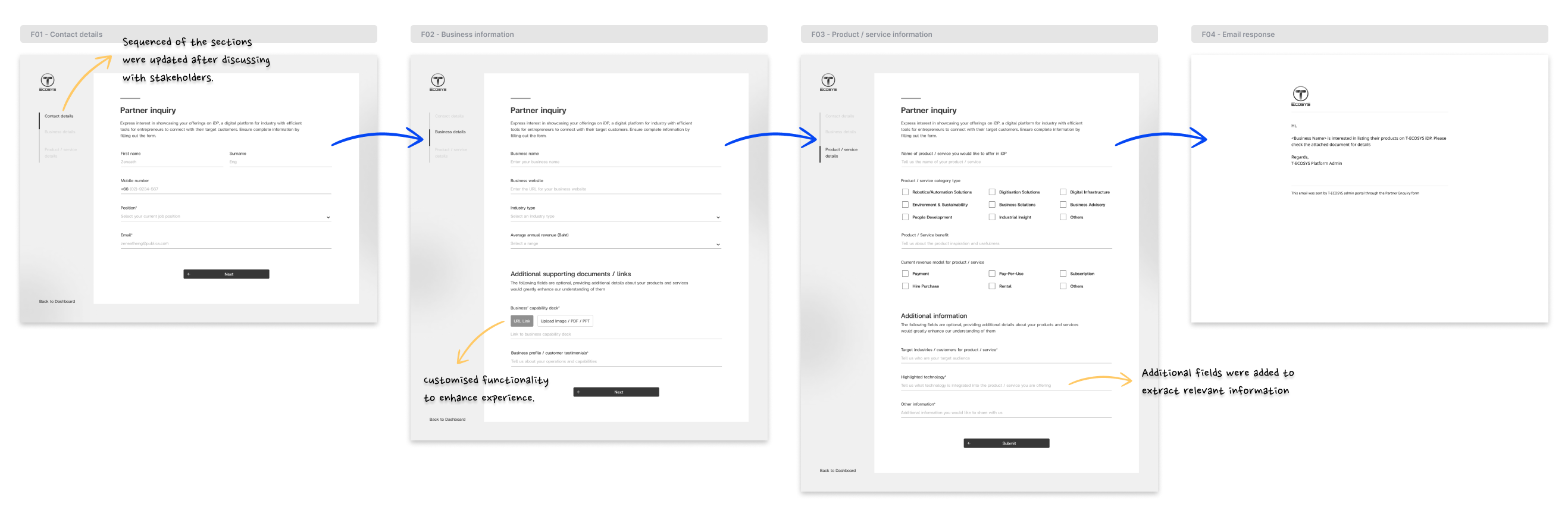
Information was categorised and turned into wireframes.
5. Reduce repetitive design work
To address the challenge of having limited UI resources staffed on the project, our UX team had to think of creative solutions to streamline the handover and conversion process of our wireframes. I integrated design system components directly into wireframes, enabling the sole UI Designer to reduce time spent on repetitive design work, and instead gain bandwidth to tackle higher-level design challenges (e.g. component variations, configuration options, and responsive designs). By prioritising reusability, the design team was able to enhance cross-functional collaboration and increase productivity.
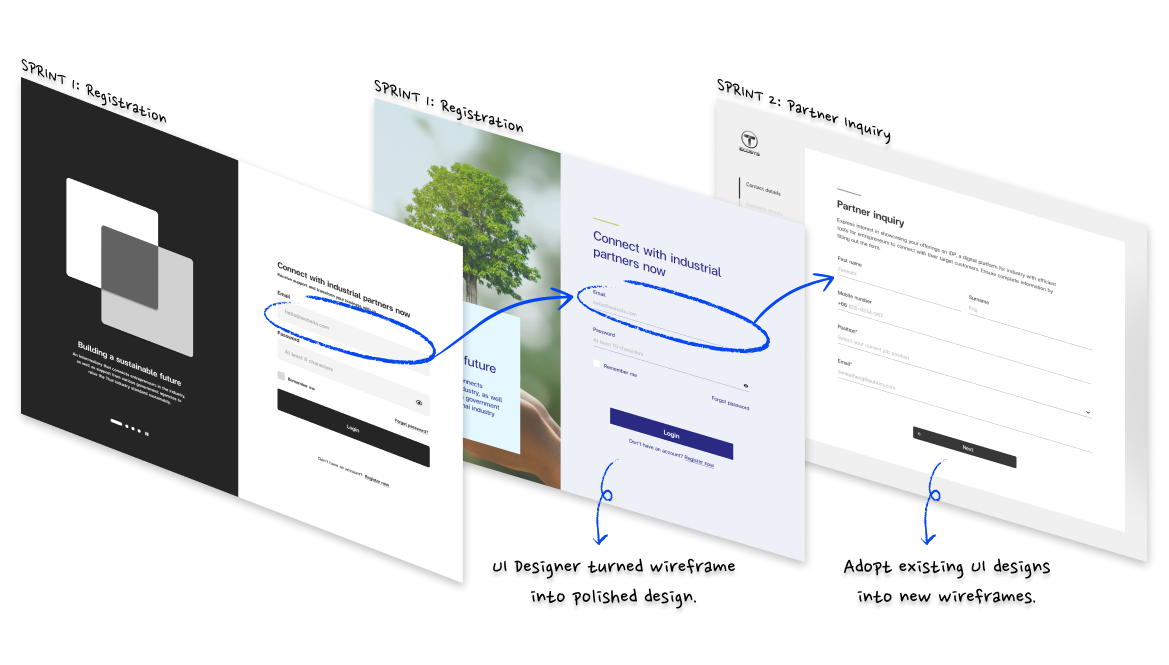
A swiss cheese diagram to demonstrate the process and benefits.
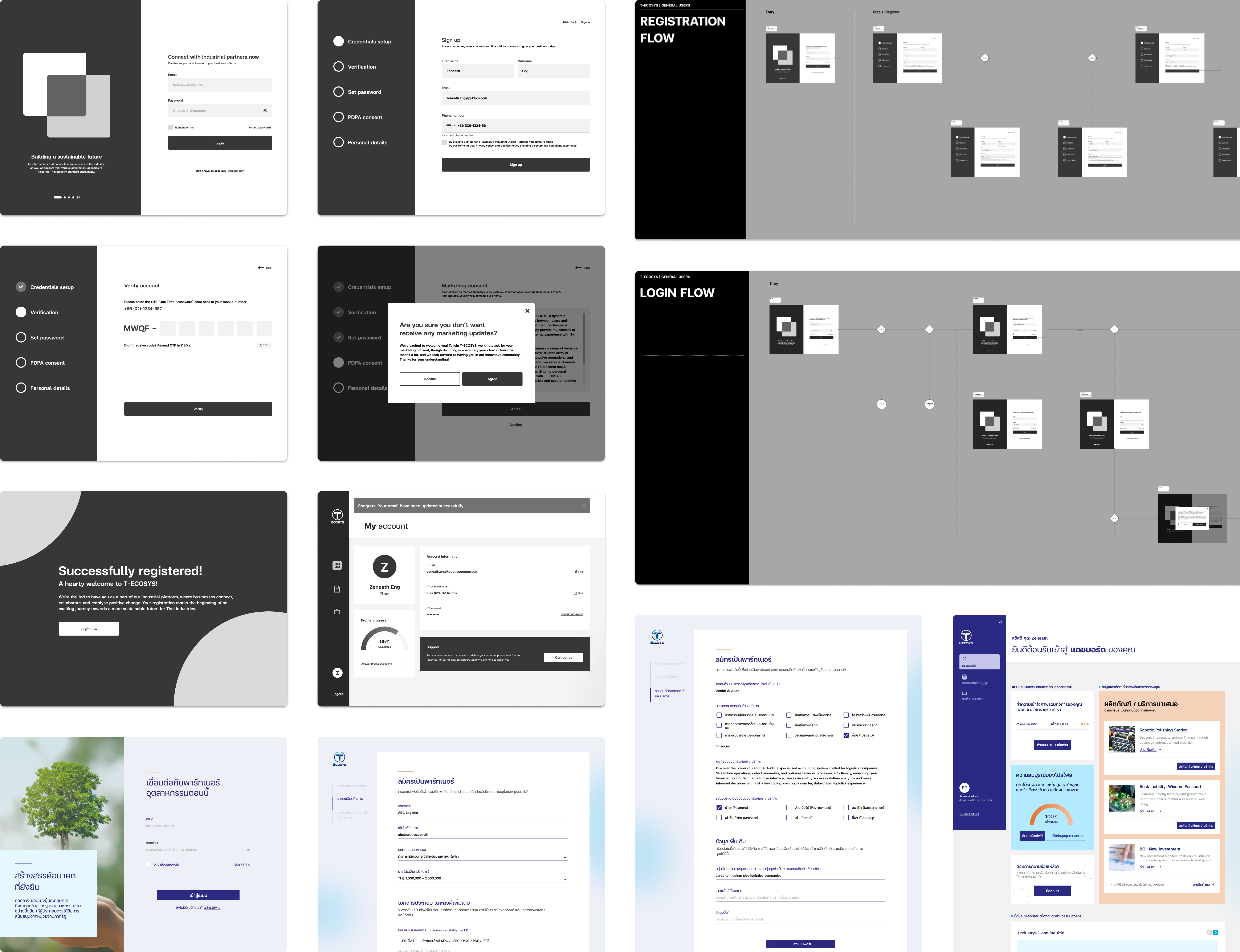
From Concept to Reality
THE RESULTS
Lessons
and insights
Expanding beyond my role
Working on this project pushed me beyond my usual scope, deepening my Figma skills in Auto-Layout and Variants to reduce the load on our UI designer, and stepping in as an informal UX writer to validate copy across the team. It was a reminder that adaptability in a resource-stretched environment is just as important as the craft itself.
Communication as a design skill
Collaborating closely with Thailand-based colleagues taught me to be more intentional with how I communicate across teams. Thai professionals value indirect, relationship-first communication, and learning to navigate that shaped me into a more culturally sensitive designer.
